● NSE 7 - FortiSASE 25 Enterprise Administrator Exam Voucher
135 $
✅ NSE 7 - FortiSASE 25 Enterprise AdministratorExam Voucher – $135
Get Your Fortinet Voucher at the Best Price
💼 Prepare for Your Fortinet Exams Without Overpaying!
Looking for a reliable and affordable Fortinet voucher? 🤔
At Brave-Dumps, we provide everything you need to pass your exams with confidence.
💡 Why Brave-Dumps is Your Best Choice:
100% voucher fortinet verified and safe.
Lowest price compared to Pearson VUE.
Dedicated support for booking and exam guidance.
Exam series: FCSS_SASE_AD-25
Number of questions: 30
Exam time: 60 minutes
Language: English, Japanese
Product version: FortiSASE 25, FortiOS 7.4, FortiAuthenticator 6.5, FortiClient 7.0 and later
Status: Available
✅ How to Use Your Fortinet Voucher on Pearson VUE (Step-by-Step)
Follow these steps to redeem your Fortinet exam voucher and book your test for free:
1- Go to: https://www.pearsonvue.com/us/en/fortinet.html
2- Register or log in to your Fortinet Pearson VUE account.
3- Click “View Exams”, then search for your exam (NSE7_SSE_AD-25)
4- Choose whether you want to take the exam online or at a test center.
5- Accept the terms and conditions, then select your appointment date and time.
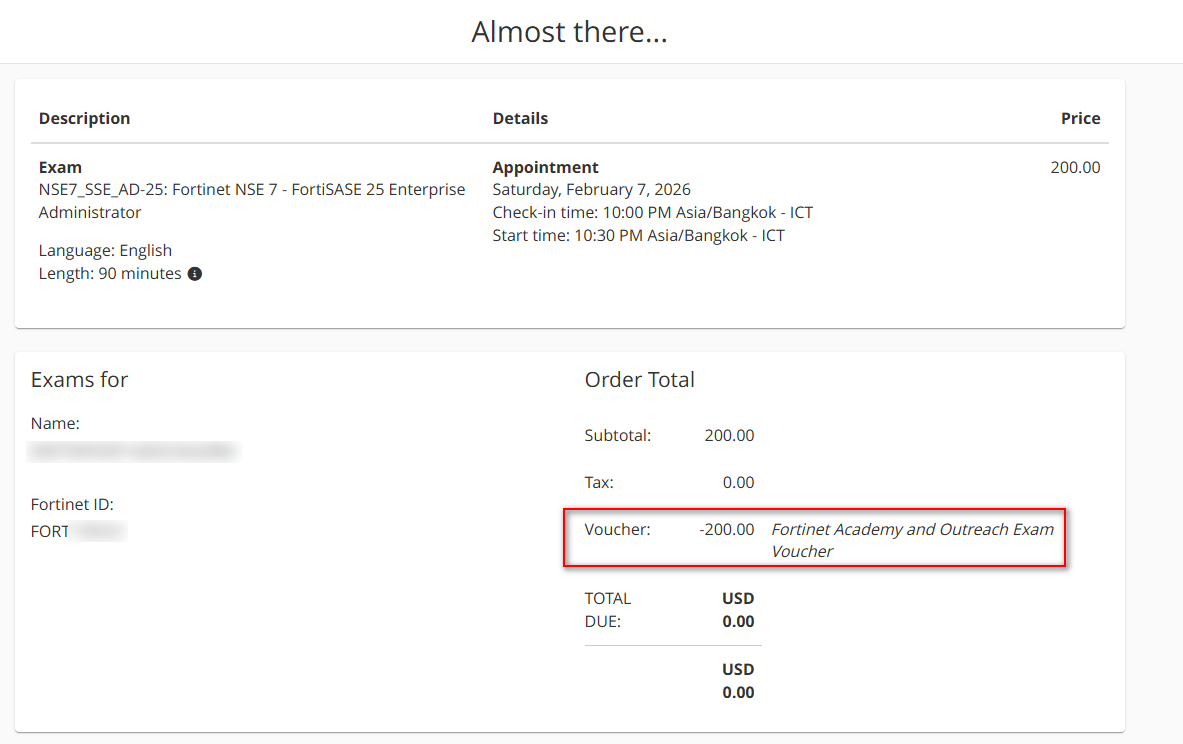
6- On the payment page, DO NOT pay. Click “Add Voucher or Promo Code”, paste your voucher code, then click Apply.
7- Click Continue and submit your booking, you’ll receive a confirmation email once your exam is successfully scheduled.
Get Your Fortinet Voucher at the Best Price
💼 Prepare for Your Fortinet Exams Without Overpaying!
Looking for a reliable and affordable Fortinet voucher? 🤔
At Brave-Dumps, we provide everything you need to pass your exams with confidence.
💡 Why Brave-Dumps is Your Best Choice:
100% voucher fortinet verified and safe.
Lowest price compared to Pearson VUE.
Dedicated support for booking and exam guidance.
Exam series: FCSS_SASE_AD-25
Number of questions: 30
Exam time: 60 minutes
Language: English, Japanese
Product version: FortiSASE 25, FortiOS 7.4, FortiAuthenticator 6.5, FortiClient 7.0 and later
Status: Available
✅ How to Use Your Fortinet Voucher on Pearson VUE (Step-by-Step)
Follow these steps to redeem your Fortinet exam voucher and book your test for free:
1- Go to: https://www.pearsonvue.com/us/en/fortinet.html
2- Register or log in to your Fortinet Pearson VUE account.
3- Click “View Exams”, then search for your exam (NSE7_SSE_AD-25)
4- Choose whether you want to take the exam online or at a test center.
5- Accept the terms and conditions, then select your appointment date and time.
6- On the payment page, DO NOT pay. Click “Add Voucher or Promo Code”, paste your voucher code, then click Apply.
7- Click Continue and submit your booking, you’ll receive a confirmation email once your exam is successfully scheduled.
Please Log in or Register a new account to be able to From completing the order